> For the complete documentation index, see [llms.txt](https://gaffa.dev/docs/llms.txt). Markdown versions of documentation pages are available by appending `.md` to page URLs; this page is available as [Markdown](https://gaffa.dev/docs/features/browser-requests/actions/capture-screenshot.md).
# Capture Screenshot
**Type:** `capture_screenshot`
Takes a screenshot of the current page. You can take a full-screen screenshot of the entire page or just the current view.
Tips for using capture_screenshot action
* Use `fullscreen` to capture the whole page, and `view` to capture only what's visible on screen. `view` is the default.
* Scroll to the bottom first if the page loads images as you scroll (lazy-loading), or they'll appear blank.
* Add a screenshot after each step when a sequence isn't working. It's the quickest way to see where it went wrong.
* When debugging a [`parse_json`](/docs/features/browser-requests/actions/parse-json.md) action, take one first to check the content is actually on the page.
### Parameters
Name
Type
Required
Description
size
string
false
The area of the page to capture in the screenshot. Default:view Accepted: ["view", "fullscreen"]
See [universal parameters](/docs/features/browser-requests/actions.md#universal-parameters).
### Usage
The following captures the current section of the page currently visible in the browser.
```json
"actions": [
{
"type": "capture_screenshot",
"size": "view"
}
]
```
### Example Output
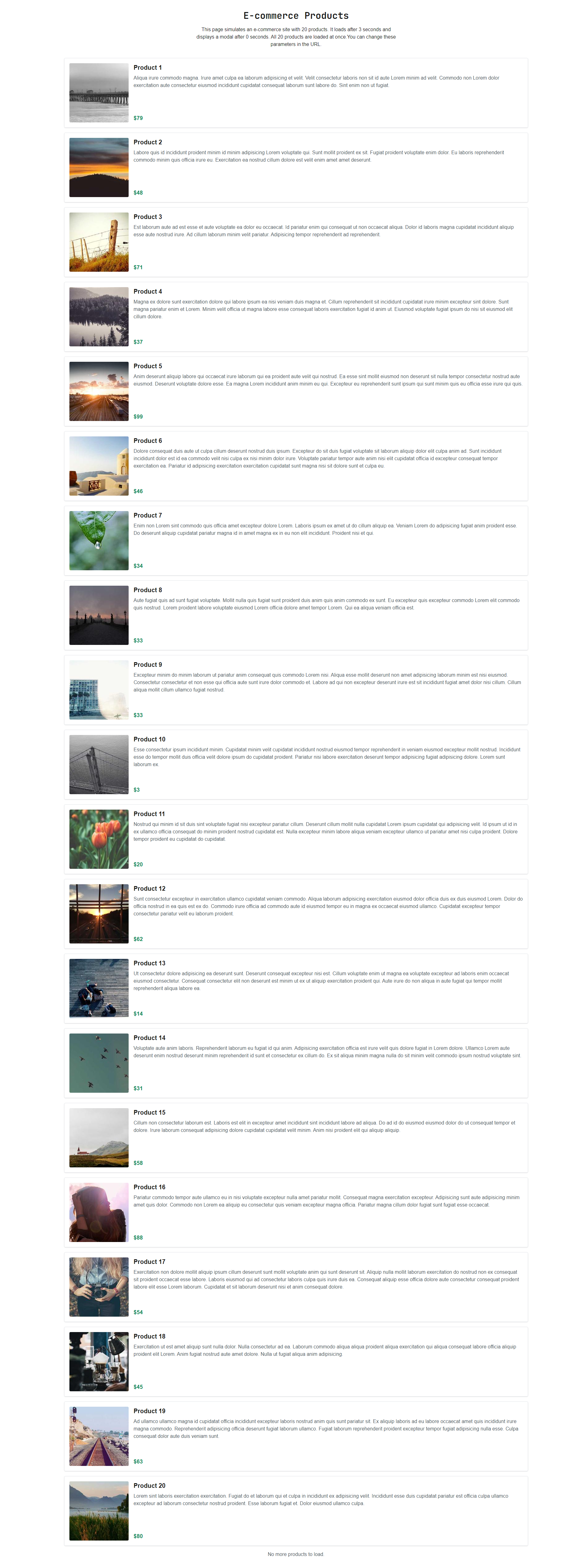
An example screenshot in `fullscreen` mode.
### FAQs
#### When do I use capture\_screenshot?
Use it when you need to see the page rather than read it — to check that an action worked, monitor how a page looks over time, or feed an image to a vision model.
#### How do I take a full-page screenshot with Gaffa?
Set "`size": "fullscreen"` on the `capture_screenshot` action. The default is `view`, which captures only what's visible on screen and excludes content below the fold.
#### Why are images missing from my full-page screenshot?
The page is probably lazy-loading them as you scroll. Add a [`scroll`](/docs/features/browser-requests/actions/scroll.md) action to 100% with a `wait_time` before the screenshot, so every image comes into view and loads first.
#### Can I screenshot a single element?
Not directly. Screenshots cover the viewport or the full page. To isolate one element, use [`capture_element`](/docs/features/browser-requests/actions/capture-element.md) for its HTML, or scroll it into view and capture with `size: "view"`.
---
# Agent Instructions
This documentation is published with GitBook. GitBook is the documentation platform designed so that both humans and AI agents can read, navigate, and reason over technical content effectively. Learn more at gitbook.com.
## Querying This Documentation
If you need additional information that is not directly available in this page, you can query the documentation dynamically by asking a question.
Perform an HTTP GET request on the current page URL with the `ask` query parameter, and the optional `goal` query parameter:
```
GET https://gaffa.dev/docs/features/browser-requests/actions/capture-screenshot.md?ask=&goal=
```
`ask` is the immediate question: it should be specific, self-contained, and written in natural language.
`goal` is optional and describes the broader end goal you are ultimately trying to accomplish on behalf of the user. GitBook uses it to tailor the answer towards what is most useful for that goal.
The response will contain a direct answer to the question and relevant excerpts and sources from the documentation.
Use this mechanism when the answer is not explicitly present in the current page, you need clarification or additional context, or you want to retrieve related documentation sections.